
Accounting
Clean books, from the first bank feed.
Auto-categorize every bank transaction, reconcile against the books, and post clean journal entries to your ERP. Around 95% of transactions are categorized automatically; reconciliation and ERP posting keep a human in the loop where it counts.
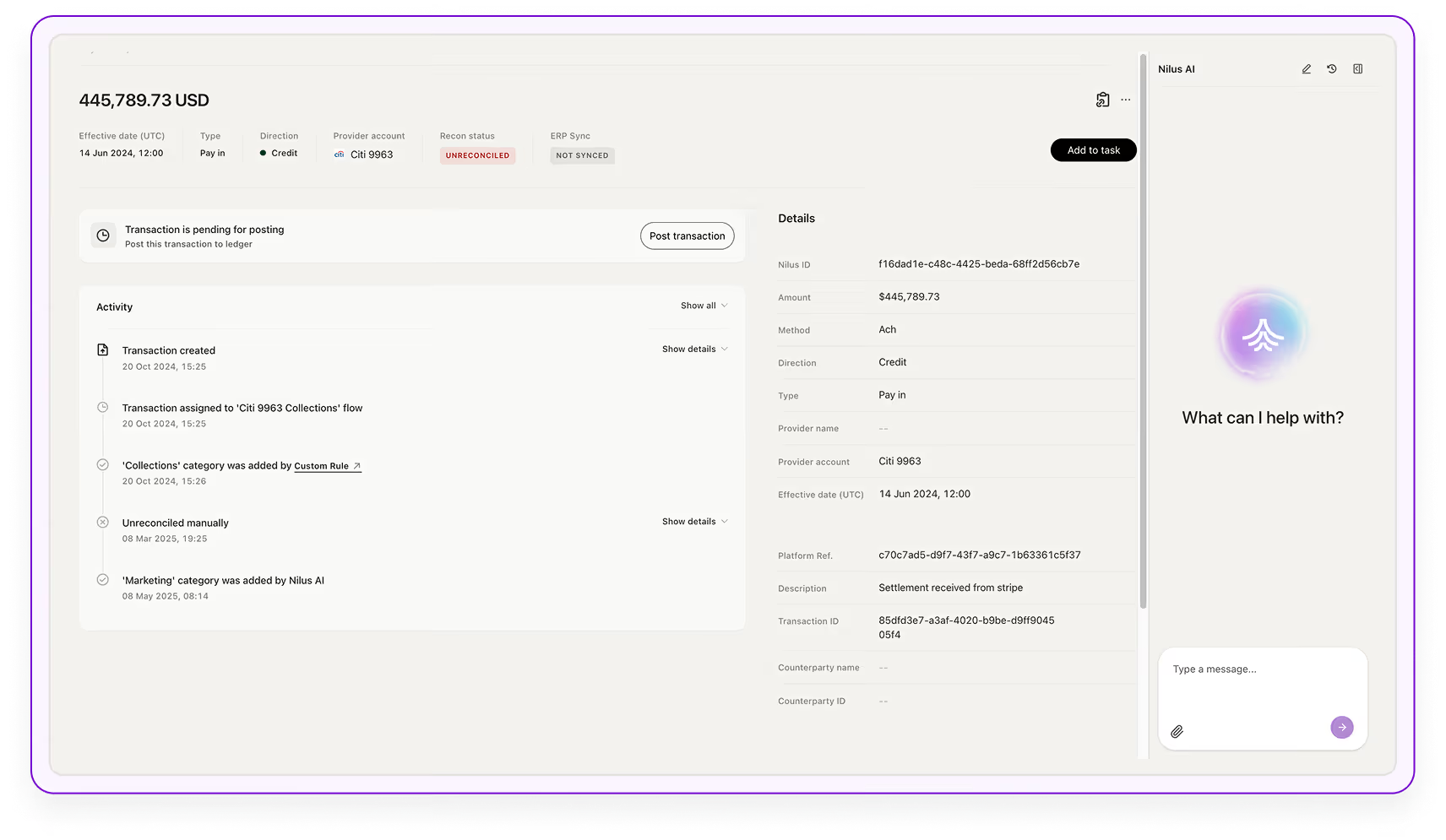
Auto-categorization at scale
Every bank transaction is categorized automatically. Nilus extracts the counterparty from the bank description, maps it to the right vendor or customer, and assigns a cash-flow category. Around 95% are categorized with no human touch, so the cash flow and reports are built on clean data from the start.
- ~95% of bank transactions categorized automatically
- AI maps counterparty → vendor / customer → category
- Custom rules for your recurring patterns
- Only the long tail needs a human
2.4M
transactions categorized
5%
need a quick review
Bank reconciliation
Nilus matches expected items, from your ERP, payroll, and uploads, against the transactions that actually land in the bank, checking amount, counterparty, account, and payment terms. Suggested matches come with a plain-language explanation; you approve or reject, and repeating patterns become automatic over time.
- Matches expected items to actual bank transactions
- Checks amount, counterparty, account, and terms
- Every suggestion explained, no black box
- Maker-checker review, automated as patterns repeat
ERP feeds
Once a match is confirmed, Nilus builds the clean, dual-sided journal entry, coded, balanced, and mapped to the right GL account, ready to post to your ERP.
- Dual-sided, balanced journal entries from confirmed matches
- Mapped to the right GL accounts
- Posting-readiness checks before they land
- Posted to your ERP
Remittance parsing
Remittance data buried in email, PDF, and file attachments is lifted automatically and matched to the right invoice, so cash application does not stall on a human reading attachments.
- Parses remittance from email, PDF, and file
- Matched to the originating invoice
- No manual reading of attachments
- Feeds straight into auto-match
The agentic layer
Agents do the work. You make the calls.
Schedule them, or just ask. The agents below work this module continuously, building the position, watching for risk, and surfacing what needs a decision. You come in to review the analysis and approve, instead of assembling it by hand.
Data Quality & Reconciliation
Reconciles bank to ledger and resolves data discrepancies as transactions land.
ERP Posting Readiness
Checks journal entries are coded, balanced, and ready before they post to your ERP.
Accounting Updates
Pushes clean entries and updates to your accounting system automatically.
Anomaly Detection
Surfaces unusual transactions and balances that need a closer look.
Vendor Spend Analyzer
Breaks down spend by vendor and category to catch leakage and duplicates.
Expected Items Status
Tracks which expected payments and receipts have landed and which are overdue.
See it on your real data in 24 hours.
Connect your real bank accounts. No sandbox, no slide deck: your position, forecast, and idle cash, live.